



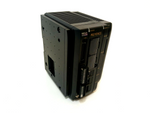
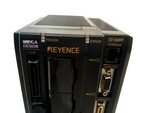
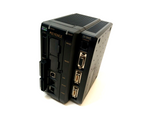
Item details
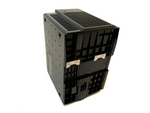
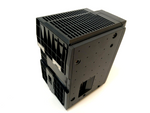
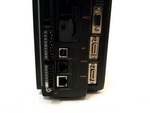
Keyence CV-5501P Digital Image Receiver Control Unit Imaging Camera Analysis
Manufacturer's technical data:
Model
CV-5501P
Pixel Count
When a CV-200C/S200C/H200C/200M/S200M/
H200M is connected
• 2-Megapixel Mode: 1600 (H) x 1200 (V), approx.
1,920,000 Pixels
• 1-Megapixel Mode: 1024 (H) x 960 (V), approx.
980,000 Pixels
When a CV-H100C/H100M is connected
• 1-Megapixel Mode: 1000 (H) x 1000 (V), approx.
1,000,000 Pixels
When a CV-035C/S035C/H035C/035M/S035M/
H035M is connected
• 240,000-Pixel Mode: 512 (H) x 480 (V), approx.
240,000 Pixels
• 310,000-Pixel Mode: 640 (H) x 480 (V), approx.
310,000 Pixels
Camera Input
• Two color/B&W cameras
(compatible
with CV-H200C/200C/
S200C/H100C/035C/
S035C/H035C/H200M/
200M/S200M/H100M/
035M/S035M/H035M
Mixed connection possible)
• When using the
expansion unit
CV-E500, two
additional cameras
can be connected.
Up to
four cameras can be connected.
Main processor for image processing
DSP (high speed)
Maximum number of storable settings
SD card 1 and 2 can each store 1,000 programs (depending on the
size of the SD card and the size of the programs), selection of external
devices is possible
Maximum number of storable windows
Up to 1000 camera images per program can be stored.
Compressed storage is possible.
Size of internal memory
2x SD card slot (SDHC compatible) Compatible with OP-87133 (512
MB: standard on SD1 slot of CV-5501/5001), CA-SD1G
Screen window
adjustment
Measurement range
128 windows/1 measurement window
Mask area
4 mask windows/1 measurement window
Color extraction function (only possible when connecting a color camera)
Color to binary, color to gray, gray, RGB gray (colors can be specified as HSV values.)
Compatible with 1:n copy
Measurement functions
Area measurement
The measurement range can be rectangular, rotated rectangular, circular, oval, ring-shaped, arc-shaped,
polygonal (up to 12 sides), self-adjusting rectangle and self-adjusting circle.
Position detection
Pattern search
• Multiple searches possible
• The shaded areas can be rectangular, rotated rectangular, circular, oval,
ring-shaped, arc-shaped and polygonal (up to 12 sides).
• The pattern search area can be masked (4 positions/1 area)
Pattern recognition (multiple pattern search)
• Simultaneous assignment search possible through up to 256 patterns
• The shades can be rectangular, rotated rectangular, circular, oval,
ring-shaped, arc-shaped and polygonal (up to 12 sides).
• The pattern search area can be masked (4 positions/1 area)
ShapeTrax 2
• Multiple search possible
• For the pattern search area and the search area, the shapes can be rectangular, rotated
rectangular, circular, oval, ring-shaped, arc-shaped and polygonal (up to 12 sides).
• The pattern search area can be masked (4 positions/1 area).
Edge position
• The edge angles (edge chamfers) can be measured.
• The outlines can be rectangular, rotated rectangular, circular, oval,
ring-shaped, arc-shaped, polygonal (up to 12 sides), self-adjusting
rectangle and self-adjusting circle.
Trend Edge Position
• Circular or straight lines can be better captured by this function based on
previous results.
• The outlines can be rectangular, rotated rectangular, ring-shaped and arc-shaped.
Object
The outlines can be rectangular, rotated rectangular, circular, oval, ring-shaped, arc-shaped,
polygonal (up to 12 sides), self-adjusting rectangular and self-adjusting circular.
Quality control mode
Edge spacing
The outlines can be rectangular, rotated rectangular, circular, oval, ring-shaped, arc-shaped,
polygonal (up to 12 sides), self-adjusting rectangular and self-adjusting circular.
Edge angle
The outlines can be rectangular, rotated rectangular, circular, oval, ring-shaped, arc-shaped,
polygonal (up to 12 sides), self-adjusting rectangular and self-adjusting circular.
Edge count
The outlines can be rectangular, rotated rectangular, circular, oval, ring-shaped, arc-shaped,
polygonal (up to 12 sides), self-adjusting rectangular and self-adjusting circular.
Edge angle
The outline is rectangular.
Edge pairs
The outlines can be rectangular, rotated rectangular, circular, oval, ring-shaped, arc-shaped,
polygonal (up to 12 sides), self-adjusting rectangular and self-adjusting circular.
Trend edge spacing
The outlines can be rectangular, rotated rectangular, ring-shaped and arc-shaped.
Object
• Number of objects, focus, main angle to the axis, range, Feret-
diameter, circumference, roundness.
• The outlines can be rectangular, rotated rectangular, circular, oval,
ring-shaped, arc-shaped, polygonal (up to 12 sides), self-adjusting rectangular
and self-adjusting circular.
Scratch detection
• Subtract color detection by using a subtract filter
• Spot bundling function supports multiple spot detection and position measurement.
• The outlines can be rectangular, rotated rectangular, circular, oval,
ring-shaped, arc-shaped, polygonal (up to 12 sides), self-adjusting rectangular
and self-adjusting circular.
• Supports measuring color images in [Color] mode
Trend edge scratch
• The shapes are: Rectangle, circle, oval, ring, arc and polygon.
• Supports scratch detection using straight lines, circles, ovals
and freeform curves as reference model.
Intensity
The outlines can be rectangular, rotated rectangular, circular, oval, ring-shaped, arc-shaped,
polygonal (up to 12 sides), self-adjusting rectangular and self-adjusting circular.
Measure color (only when a color camera is connected)
• Supports RGB and HSV measurement
• The outlines can be rectangular, rotated rectangular, circular, oval,
ring-shaped, arc-shaped, polygonal (up to 12 sides)
Geometry
• The result of the image capture can be displayed in the form of an outline.
• Outlines are blobs, lines and circles.
OCR
• Character recognition for a maximum of two lines of 20 characters per line.
• The outline is rectangular.
• Supports encryption for date/time stamps
Interfaces
Control input
External trigger input
2 inputs
EV-compatible
Rated input power:
26.4 V or less, 3
mA or more Simultaneous
capture with 2 cameras /
single capture can be
selected. (When CV-E500
is not connected,
images can be captured
simultaneously with up to 2 cameras.)
A custom trigger delay (0 to 999 ms) can be selected for each
trigger input.
Control input
18 inputs
Input voltage 26.4 V or less, 2mA or more
Control output
Universal output
27 PNP outputs (including two FLASH outputs in combination with external trigger signals).
Total comparator output
1 output, PNP Open Collector, max. 50 mA (30 V or less)
Supports hold control for total status output and individual activation (1
to 9999 ms)
Monitor output
SVGA 800 x 600 (24-bit color 60 Hz)
Operating display
Power and error LED display
RS-232C
Numeric value output, image data (compressible) and activated control input/output. Can be used simultaneously with other communication interfaces.
The maximum baud rate of 115,200 bps is supported.
Not to be used for connecting PLC connections, CC-Link or EtherNet/IPTM
Ethernet
Numeric value output, image data (compressible) and activated control input/output.
Can be used simultaneously with other communication interfaces.
100BASE-TX/10BASE-T
USB
Numeric value output, image data (compressible) and activated control input/output.
Can be used simultaneously with other communication interfaces.
USB 2.0, HI-SPEED is supported
PLC connection
Numeric value output and control input/output using the
RS-232C interface or the Ethernet interface.
The following PLCs are supported via the interface*1:
• KEYKENCE CORP.: KV-700 Series, KV-1000 Series, KV-3000 Series, KV-5000
Series, KV-5500 Series
• Mitsubishi Electric: A Series (RS-232C only), Q Series, L Series
• OMRON: SYSMAC C Series (RS-232C only), CJ/CJ1 Series
• Yaskawa Electric: MP900 Series (RS-232C only)/MP2000 Series
Not to be used for connecting CC-Link, RS-232C or EtherNet/IPTM .
CC-Link
By connecting the CC-Link expansion unit CA-NCL10E available as an optional
accessory, I/O of numeric values and control signals
is possible.
• Supports Remote Device Station Ver. 2.00/1.10.
• Not to be used for connecting PLC connection, RS-232C or EtherNet/IPTM .
EtherNet/IPTM
Numeric value input/output and control input/output
are enabled when using an Ethernet port
• Supports periodic communication (max. 1436 bytes), supports message communication
• Connects up to 128 units
• Compliant with verification test version.A5
• Do not use for connection to PLC link, RS-232C or CC-Link
Lighting control
When connecting the optional lighting expansion unit,
LED lighting (12 V, 24 V) and light quantity control are possible.
• 2 channels per unit, up to 4 units can be connected.
• Supports lighting with different lighting patterns.
Continuous measurement data acquisition
• 1 to 32 image captures and measurements, followed by calculation of
maximum, minimum and average values.
• Error values can be excluded from the measurement result.
Setting the execution conditions
Can be set in each measurement window to evaluate the results (OK/NG)
for other measurement and calculation windows.
Setting functions
for
image capture
Adjustment functions for the processing area
• The relevant 980,000 pixels (1024 (H) x 960 (V))
can be extracted from an area of 1,980,000 pixels
in 1-megapixel mode.
• The relevant 240,000 pixels (512 (H) x 480 (V))
can be extracted from an area of 320,000 pixels
in normal mode.
However, when CV-H035C/H035M is connected, only 240,000 pixels
out of the 310,000 pixels used as the processing area are supported.
Scanning mode
(only possible when connecting a B/W camera)
Selectable full frame/interlace
Setting the start and end line for image capture
The desired capture of the start/end of the interlace can be set within
the image capture range.
CV-H200C/H200M cannot capture less than 100 lines.
Correction functions
Position adjustment
Adjust all or individually (up to 128 settings), X, Y, ±180º rotation
Camera gain adjustment
Sensitivity adjustment, grayscale adjustment, and gain adjustment (RGB stacking/
individual and the gain adjustment can be set for each of the 16 brightness levels.
Individual RGB settings are supported when a color camera is connected.)
White balance (only possible when a color camera is connected)
Manual settings using a standardized "White
Paper".
Image inversion
Allows the creation of mirrored images
Alignment function
X and Y calibration adjustment for each camera. Conversion of measured
and calculated values is supported.
Filter functions
Counting
The same filter type can be used up to 9 times. 13 steps. (Only for
binarization and Subtract: 1 step/window)
Type
Enlarge, Reduce, Average, Averaging, Edge enhancement,
Edge extraction X, Edge extraction Y, Sobel, Prewitt, Roberts, Laplace, Binary,
Subtract, Lighting adjustment, Contrast conversion, Image extraction,
Shadow correction, Blur
User language
Japanese / English / German / Italian / French / Traditional
Chinese / Simplified Chinese are available for selection.
Calculation functions
Numerical
Operations
Number of settings
128 calculations/1 program
Arithmetic operation
Sum (+), Subtraction (-), Multiplication (x), Division (÷)
Arithmetic function
Square, Exponential, Fraction counting as one, Rounding of fractions, maximum,
minimum, Average, Average within the range, Square root, absolute
value, Remainder, Distance, Angle, Sine, Cosine, Tangent, Arcsine, Arctangent, π
Comparison operator
<, == , not
Geometric calculation
Distance between 2 points, Line segment angle, Circle radius, Circle center,
Average angle, Straight line, Intersection point, Distance between a point
and a line, Angle line, Angle between two intersecting lines,
Perpendicular to a point on the line, Line segment symmetry, Midpoint
Coordinate conversion function.
Coordinate system conversion, Rotation matrix
Type conversion function
Coordinate constant conversion, constant coordinate conversion,
Angle unit conversion
Logical operator
AND, OR, NOT, XOR
Sorting function
Maximum value index output, minimum value index output
System function
Number of measurements, measurement time, year, month, day, hour, minute, second
Time axis operation function
Previous measurement result
Command memory
1000 command memories that can be specified by external devices
or via the remote control, if connected.
Support functions
Statistical analyses
Number of data points
Max. 20,000 data can be saved on an SD card as a statistics file.
Statistical values
Maximum, minimum, average, deviation (3σ), total OK/NG times
Screen save function
The following number of
images can be stored
in the system's
memory:
• Maximum 511 images
(B/W camera in
240,000-pixel mode)
• Maximum 255 images
(B/W camera in
310,000-pixel mode)
• Maximum 127 images
(B/W camera in 1-
megapixel mode)
• Maximum 63 images
(B/W camera in 2-
megapixel mode)
• Maximum 508 images
(Color camera in
240,000-pixel mode)
• Maximum 253 images
(Color camera in 31-
pixel mode)
• Maximum 124 images
(Color camera in 1-
megapixel mode)
• Maximum 60 images
(Color camera in 2-
megapixel mode)
(These are the maximum values
if only one
camera is connected
is and [condition] on
[All images] is set.)
Programming aids
Zoom range
Between 4% and 1600% during setup or operation (6% and
2500% in full screen). The size can be adjusted for each screen display
while multiple screen displays are shown.
Edge extraction waveform projection
The edge waveform can be graphically displayed during setup or
operation, edge intensity and measurement values (some are not
supported) can be displayed during setup.
Profile display
The trend edge position and distance can be graphically displayed during setup
or operation.
Stability indicator
Spot detection (spot level) is displayed during setup or operation.
Character recognition waveform projection
The automatically cropped OCR waveform graphics can be displayed during setup
or operation.
Simultaneous movement of all measurement windows
Selected windows of an identical camera or identically registered image
can be moved as a group in the desired XY direction.
Scratch level curve
The scratch level curve can be displayed as a graph in programming mode or in run mode.
Setting function for
display template
Number of display templates
10 masks/1 program (predefined values within 4 masks),
externally selectable
Number of windows that can be displayed
simultaneously
A maximum of 5 screen displays can be displayed at the same time.
(when 5 screens (HORIZONTAL)/5 screens (VERTICAL) is selected).
Freeze frame
The last three images (NG images) can be displayed as still images.
The measurement results and the measurement time can be viewed.
(The number of displayable times varies between 0 and 3, depending on the
connection status of the camera.)
Custom
screen adjustment
Number of custom screens
10 windows/1 program
individual customer settings
String: Measured value (the decimal point can be specified), evaluation result,
special customer characters, customer graphics, customer text (active text).
Individual measurement result displays
• The monitor color displays can be set individually according to the evaluation result
using numbers and customer symbols.
• Can set a message in the assignment table that refers to the
measured value (active text)
Overwriting during operation
• The upper/lower tolerance value or the command memory can be overwritten
during operation.
• Supports lighting adjustment during operation (if CA-DC20E
is connected)
Emulation function
The integrated emulation function allows the creation of new program data as well as
the storage of existing program data in the format of the First Edition (FE format -
First Edition) for devices of the CV-3001 SE, SEII and SEIII model series as well as
CV-5001 on a device of the Second Output model series CV-5001 (CV-5001SE - Second Edition).
Program file update function
Program data from devices of the CV-3001 model series or the First Edition
of the CV-5001 model series (CV-5001FE) can be converted into the program data format
for the devices of the Second Edition of the CV-5001 model series (CV-5001SE).
Customizable Menu
A shortcut menu to a desired program image can be created (20 menus/programs).
Saving to memory card (only SD2 slot)
• Measurement value, evaluation result, NG count, measured image (compressible),
saved image (compressible), captured image, statistics
analysis data, RS-232C communication protocol, program data (only
settings can be saved on both SD1 slot and SD2 slot)
• Can save data during the test run (except program data).
Other
Screen capture functions, password functions, repeat test functions,
file management function, input/output monitoring, RS-232C monitoring
Ratings
Power Supply
24 VDC ±10 %
Current Consumption
2.4 A (2 cameras at maximum load)/3.2 A (4 cameras at maximum load)
Environmental Resistance
Ambient Temperature
When two cameras are connected: 0 to +50 °C (0 to +45 °C, when 1 or more 1-megapixel cameras are connected)
When four cameras are connected: 0 to +45 °C
Relative humidity
35 to 85% RH (No condensation)
Weight
Approx. 1,250 g
Find more control units - new and used - in our shop!
International shipping costs on request!
Legal information - click for details